The Ipswich SHS Bring Your Own Device (BYOx) program applies to all students in Years 10, 11 and 12 and helps ensure that the Ipswich SHS is able to provide learning opportunities anywhere, anytime, which will prepare students with career and life skills for their future.
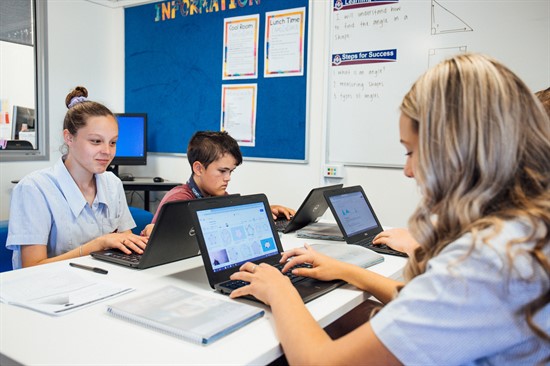
It is anticipated that the device will have a three (3) year life at school and as such will continue to be a vital tool in your student's learning continuing in Year 11 and Year 12.
The BYOx program is to ensure that your child and the Ipswich State High School is:
- Meeting the Australian Curriculum (P-10) and Queensland Curriculum and Assessment Authority (QCAA) curriculum (11-12) mandated ICT skills and requirements
- Addressing the school's strategic focus to prepare students for the future, remaining relevant in a rapidly expanding knowledge economy, and making our programs innovative, adaptable and responsive to unforeseen trends and developments
- Individualising learning, increasing independence and self-initiated learning in students
Choosing a device
Recommended devices are Window or Mac Laptops. Android devices and Chromebooks are NOT compatible
CPU/Processor
| Intel or AMD x86-64 processor
| Intel Core i5/i7 or AMD equivalent
|
Memory
(RAM)
| 8GB or more
| 16 GB
|
Storage
| 128Gb
SSD / eMMC or more
| 256 Gb SSD
|
Networking and
Communications
| WiFi 802.11 n/ac (5Ghz -
Required
| WiFi 802.11 n/ac (5Ghz – Required)
|
Battery
| 6 hour battery life
(minimum)
| 8 hour battery life (minimum)
|
Operating System
| Windows 11 or higher
MacOS 14.x or later iPad OS 17X or later
| Windows 11 or higher MacOS 14.x or later iPad OS 17X or later
|
Antivirus
| Any active and up to date antivirus
| Any active and up to date antivirus
|
Accessories & Additional Recommendations
When purchasing a device, families should also consider:
Protective hard case or durable laptop bag — strongly recommended
Extended warranty coverage
Accidental Damage Protection (ADP) — recommended for devices regularly transported to and from school
Wired headphones suitable for NAPLAN and school assessments
Device charger, clearly labelled with the student's name
Buying a Device
Families are free to purchase a suitable device from any retailer or supplier.
We encourage families to consider local IT providers as they may be able to provide advice, warranty support and assistance selecting a device that meets the school's specifications.
Enrolling your device